category
0
total
0

'
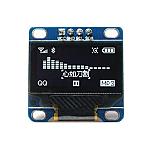
OLED Graphic LCD 128x64
The OLED Graphic LCD 128x64 is an advanced display module that boasts a resolution of 128x64 pixels, providing high contrast and rich colors thanks to its OLED (Organic Light Emitting Diode) technology. This innovative display is capable of delivering exceptional visual quality, making it suitable for a wide array of applications.
Key Features
- High Resolution: With a pixel density that allows for detailed graphics and text display, the 128x64 resolution is ideal for conveying complex information clearly.
- Wide Viewing Angles: OLED technology allows for virtually unlimited viewing angles without any degradation in quality, ensuring that the display can be read from multiple perspectives.
- Low Power Consumption: The OLED display consumes significantly less power than traditional LCD displays, especially when displaying darker images, contributing to longer battery life in portable applications.
- Fast Response Time: OLED displays offer rapid refresh rates, allowing for quick updates and animations. This feature is particularly advantageous in dynamic interfaces.
- Compact Design: The slim profile of the OLED Graphic LCD makes it easy to integrate into various electronic devices without requiring excessive space.
Applications
This display module is versatile and can be employed in numerous applications including:
- Embedded systems and microcontroller projects.
- Wearable technology, such as smartwatches and fitness trackers.
- DIY electronics projects and prototypes.
- Medical devices for graphical representation of data.
- Industrial tools for real-time monitoring and control.
- Consumer electronics, including portable gaming devices.
Energy Efficiency
Due to its low-power consumption characteristics, the OLED Graphic LCD 128x64 is particularly well-suited for battery-operated devices. The energy utilization is optimized since only the pixels that are lit consume power, while dark pixels remain off, resulting in overall energy savings.
How to Use
Integrating the OLED Graphic LCD 128x64 into your project is straightforward:
- Connect the display to your microcontroller using the appropriate interface, typically I2C or SPI, depending on the specific module variant.
- Ensure you have the necessary libraries for your programming environment (e.g., Arduino, Raspberry Pi) to communicate with the display.
- Initialize the display in your code, setting parameters like contrast and orientation.
- Use available functions provided by libraries to draw shapes, render text, and create custom graphics on the screen.
related products
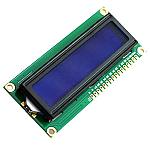
Character LCD 16 x 2
OLED Graphic LCD 128x64
Popular Brand